
Log your first job
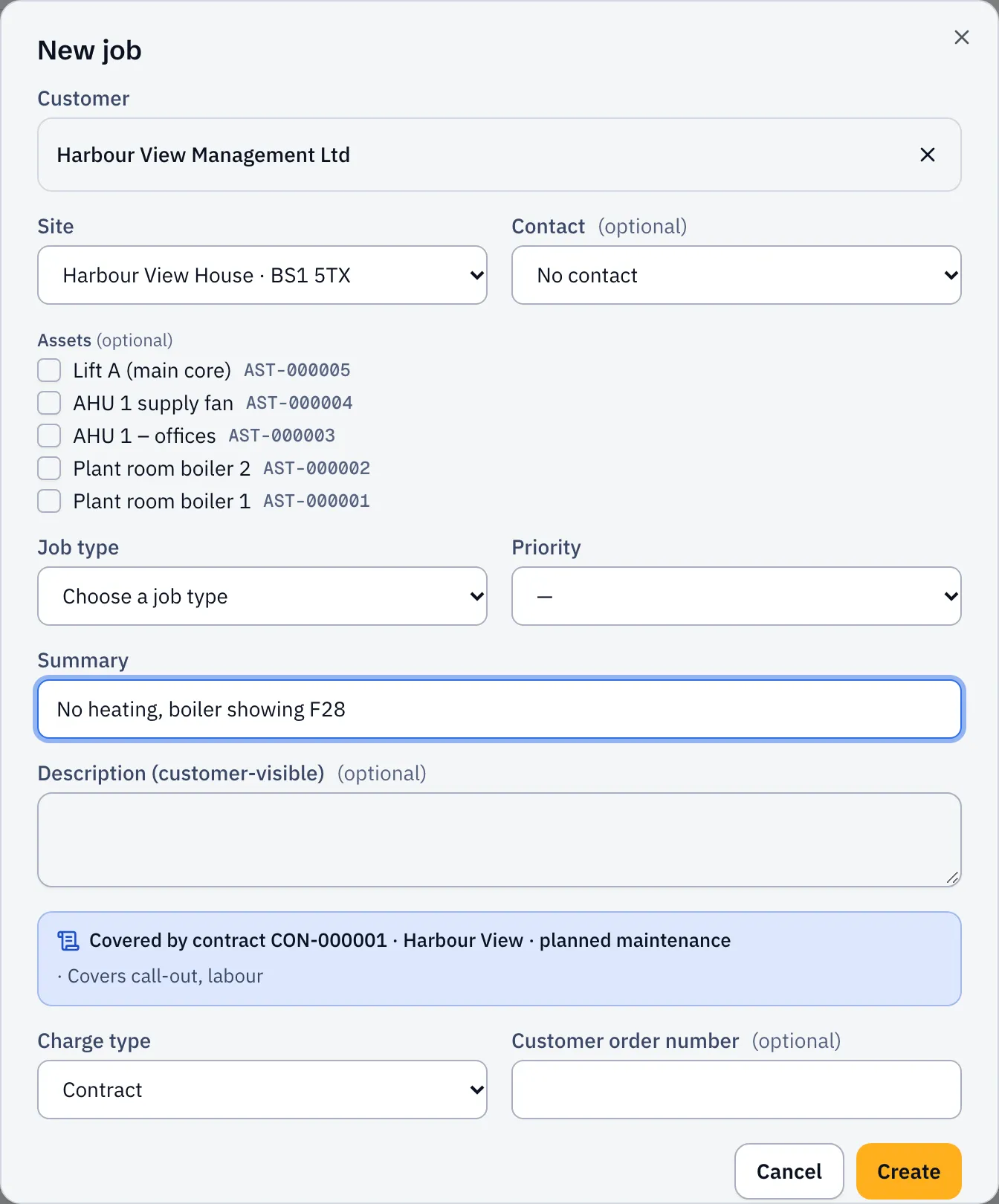
- Open Jobs and select New job.
- Find the customer, then choose the Site and the Contact.
- Tick any Assets the job is about, for example the boiler that’s leaking.
- Choose the Job type. It fills in a suggested Priority and duration.
- Write a short Summary your team will recognise, like “No heating, boiler showing F28”.
- Select Create.
The job starts at New Job and appears in the planner’s Unassigned list, ready to book.
How urgent is it?
Section titled “How urgent is it?”The priority sets the SLA: how soon you’ve promised to attend and to fix. By default:
| Priority | Attend within | Fix within |
|---|---|---|
| P1 Emergency | 2 hours, round the clock | 24 hours |
| P2 High | 4 business hours | 2 working days |
| P3 Normal | 2 working days | 5 working days |
| P4 Planned | 10 working days | no target |
You can change these in Settings → Priorities & SLAs. If you pick a different priority from the one the job type suggests, Sustainable ERP asks why, so there’s a record.
If the site is covered by a maintenance contract, the job picks up the contract’s own targets. See Contract SLAs.