
Add your team
Everyone signs in with their own email address. You invite them and they choose their own password.
Invite someone
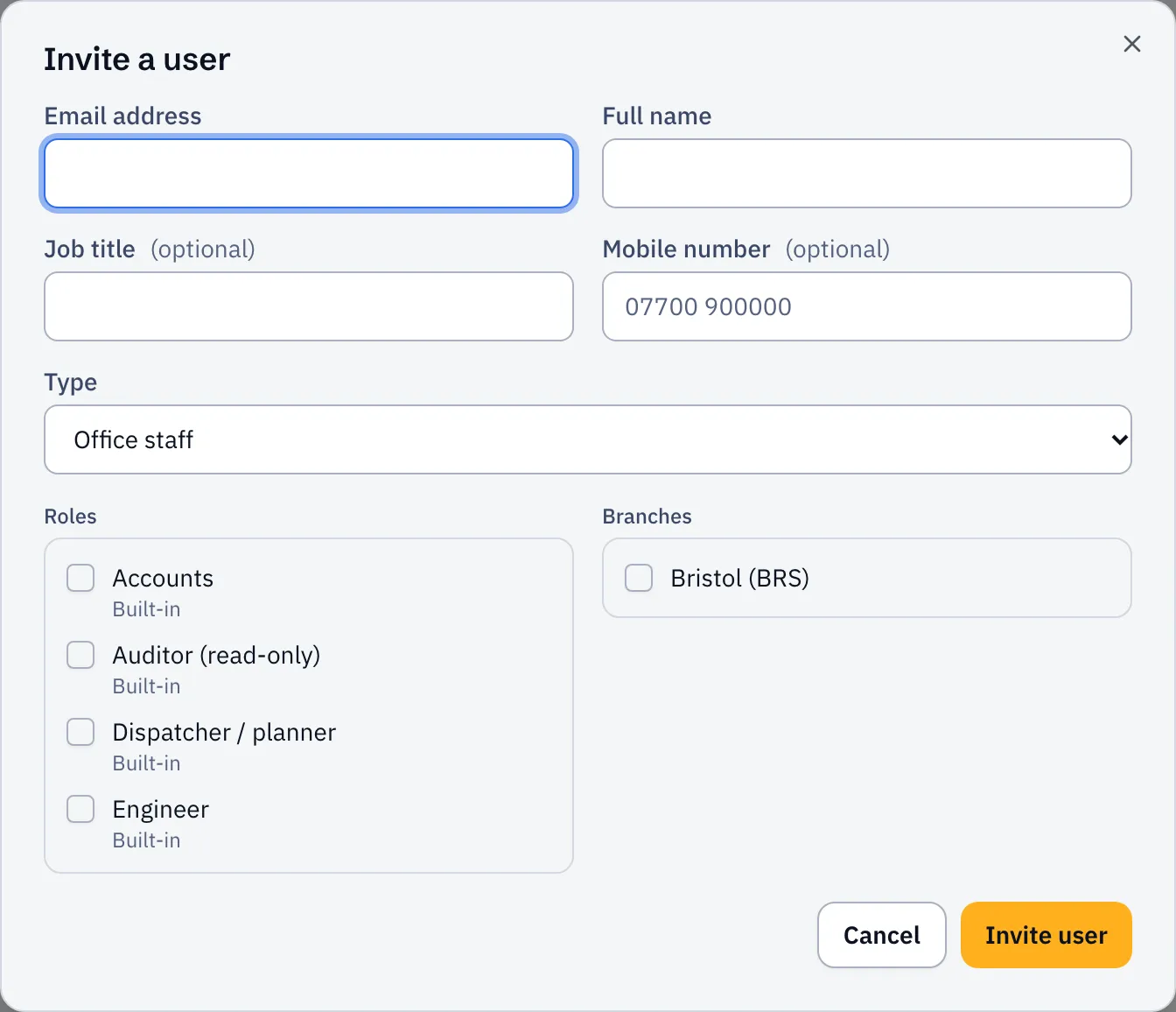
Section titled “Invite someone”- Open Settings, then Users.
- Select Invite user.
- Enter their Email address, Full name and Mobile number.
- Choose a Type:
- Office staff for anyone using Sustainable ERP on a computer.
- Engineer (mobile app) for people out on jobs. They use the engineer app, not the website.
- Choose their Roles and Branches. See Roles explained if you’re not sure.
- Select Invite user.
They get an email with a link to set their password. If it doesn’t arrive or runs out, open their menu and choose Resend invitation.
Record engineers’ certificates
Section titled “Record engineers’ certificates”If some jobs need a ticket (Gas Safe, F-gas and so on), record who holds what. The planner then warns you before you book someone without it.
- In Users, open the engineer’s menu and choose Skills & certificates.
- Select Add skill, pick the skill and enter the expiry date.
An expired certificate counts as missing. Add the list of skills first in Settings → Skills.