
Certificates
For the office team
Certificates are issued when an engineer finishes a visit with a passed form that issues them. See When a form fails, and certificates.
Open Certificates to see them all, newest first.
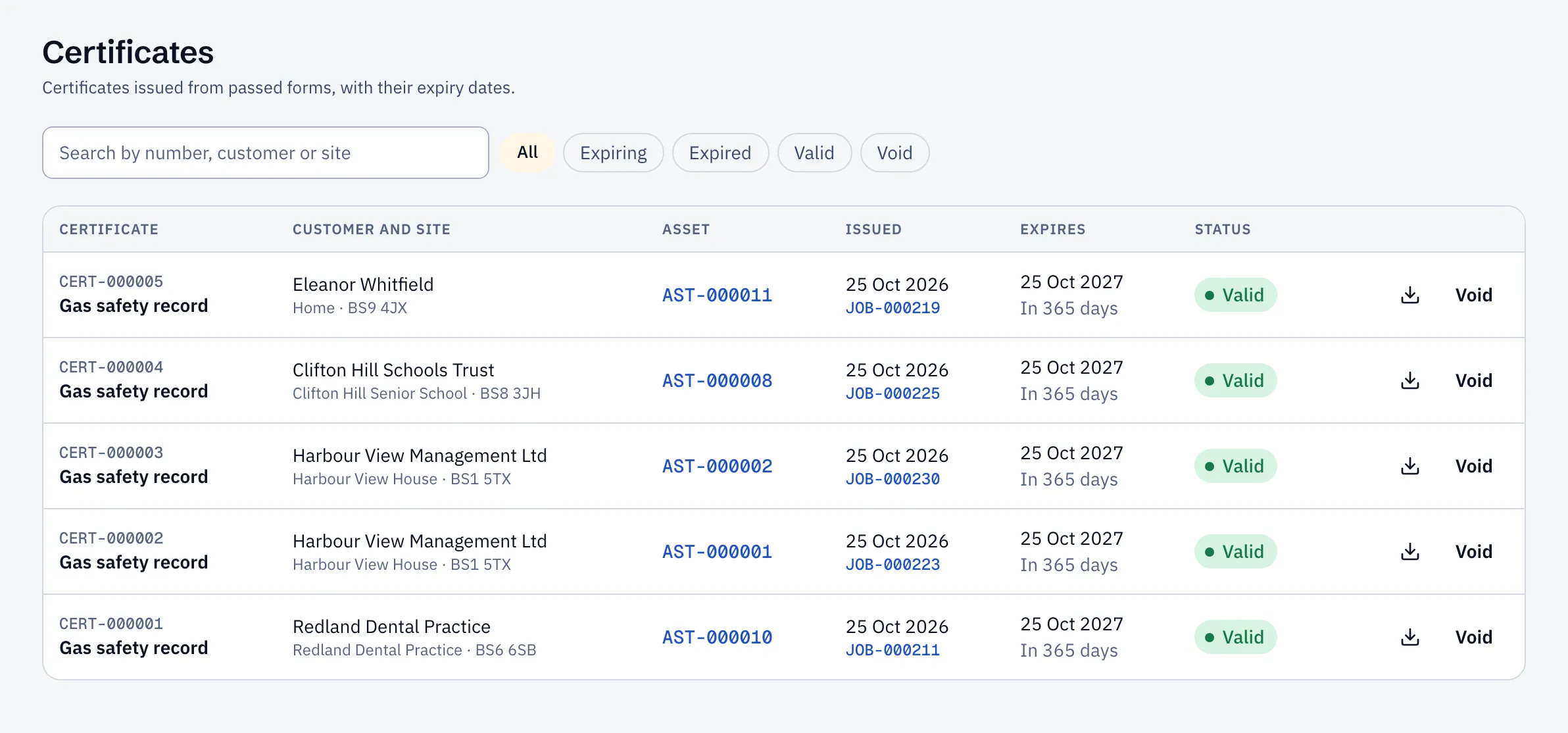
- Search by certificate number, customer or site.
- Filter by Expiring (within 30 days), Expired, Valid or Void.
- Select the download icon for the PDF.
A job’s certificates are also on its Files tab.
Expiry reminders
Section titled “Expiry reminders”Thirty days before a certificate expires, the office gets an alert in Sustainable ERP and by email, once. Book the renewal visit from there.
Reports → Certificate expiry lists certificates that have expired and those running out in the next 90 days. You can export it for your customer.
Void a certificate
Section titled “Void a certificate”If a certificate was issued in error, select Void and give a reason. It stays on record, marked void, with its PDF. Certificates can’t be edited. To issue a new one, do the check again on a new visit.
Voiding needs the operations manager or administrator role.