
Log an enquiry and turn it into a job
Use an enquiry when someone gets in touch and you don’t have everything yet: maybe you don’t know which site it is, or you need to ask a few questions first. If you already know exactly what’s needed, skip this and log a job directly.
Log it
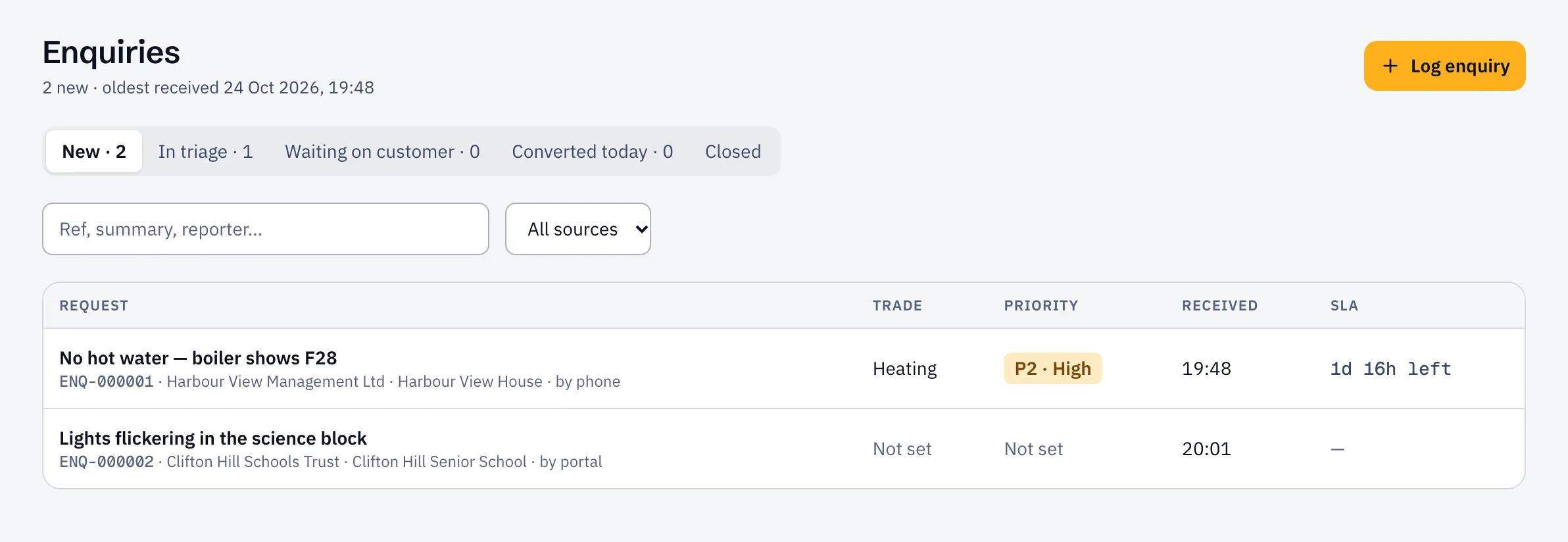
Section titled “Log it”- Open Enquiries and select Log enquiry.
- Write what they asked for. If you don’t know the customer yet, fill in Reported by with their name and phone or email.
- Save it. It appears under New, and the response clock starts from when it was received.
Triage it
Section titled “Triage it”- Open the enquiry and select Start triage.
- Choose the customer, site and Job type. The job type brings its own questions, for example “Is there a smell of gas?”. Answer them.
- Check the Priority.
If you need something from the customer, select Request more info and say what you need. They’re emailed if they have an email address, and the enquiry waits under Waiting on customer.
Sustainable ERP also shows Possible duplicates: open jobs or enquiries at the same site or on the same asset. Worth a glance before you create another.
Convert it
Section titled “Convert it”Under Convert to, pick one:
- Reactive job, then Create job. The job goes to the planner as unassigned.
- Quote first, then Create quote, when you need to price the work before doing it. The accepted quote becomes the job.
If the request isn’t going anywhere, select Close enquiry and say why.