
Add your first customer and site
Every job belongs to a customer and happens at one of their sites. A homeowner has one site, their home. A managing agent might have twenty.
Add the customer
Section titled “Add the customer”- Open Customers & sites and select New customer.
- Enter the Name. Add an Account number, Billing email and Payment terms (days) if you have them.
- Select Create.
If Sustainable ERP spots a customer with a similar name, postcode, email or phone, it shows them first so you don’t create a duplicate. Open the existing one, or choose Create anyway.
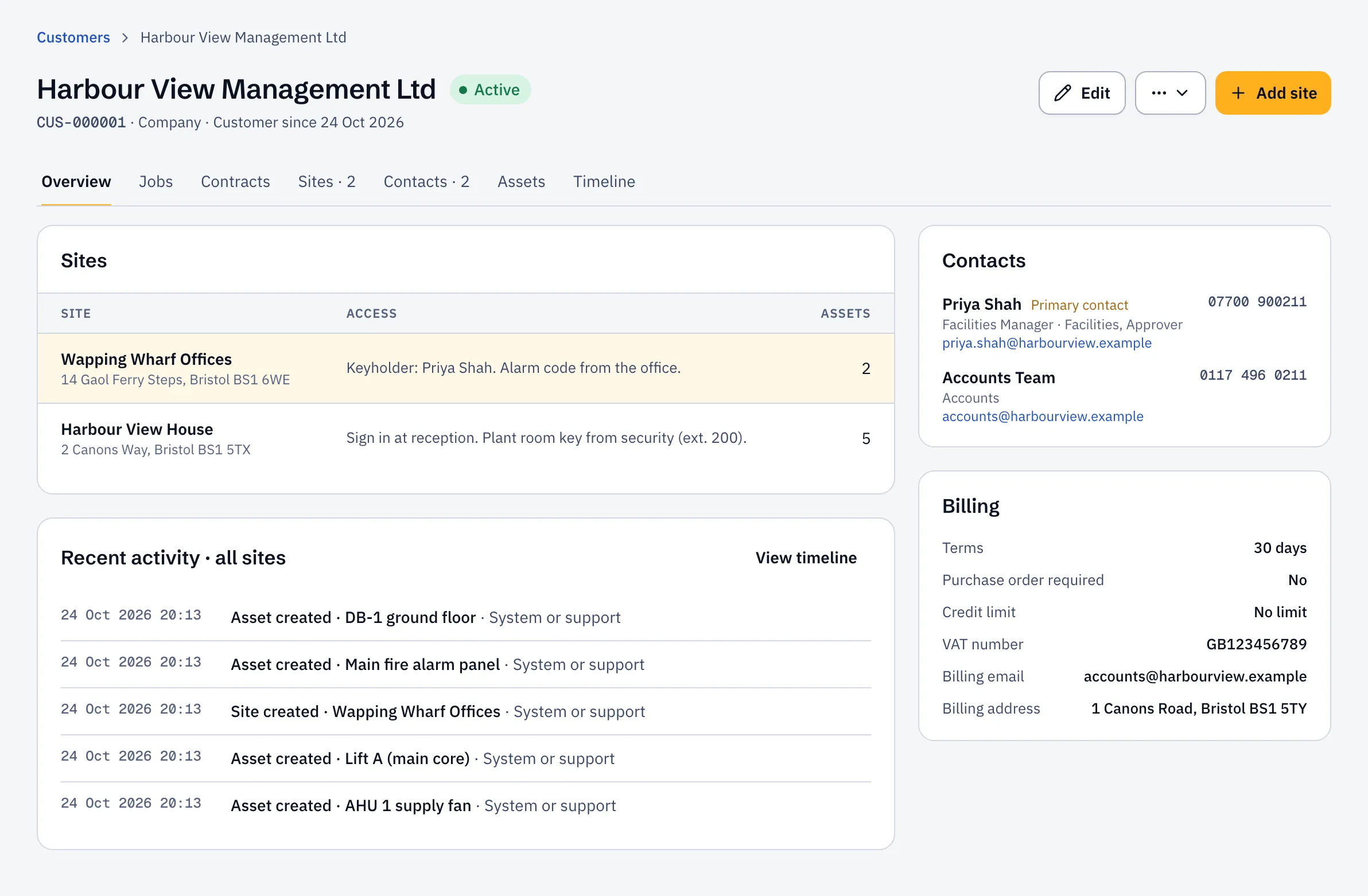
Add a site
Section titled “Add a site”- On the customer’s page, open Sites and select Add site.
- Enter the Site name and Address.
- Add Access instructions and Hazards if there are any. Engineers see both before they start work.
- Select Add site.
Add a contact
Section titled “Add a contact”- Open Contacts and select Add contact.
- Enter their name, email and phone, then select Add contact.
The contact gets emails about their jobs: visit booked, engineer on the way, job report.
Got hundreds of customers in a spreadsheet? Import them instead.