
Book it and send it to an engineer
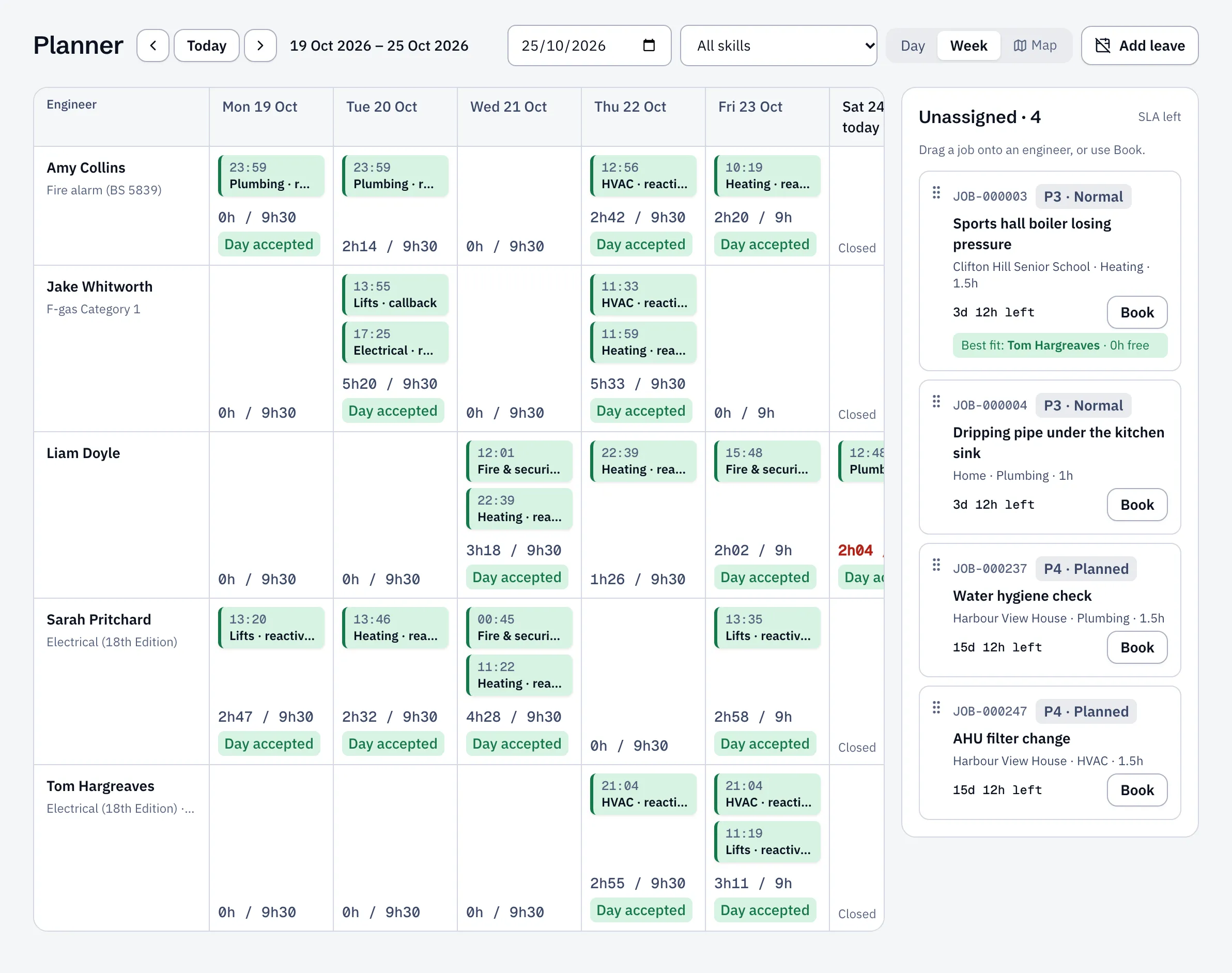
- Open Planner. Your new job is in the Unassigned list.
- Drag it onto an engineer at the time you want. Or select Book on the job and choose the date, time and engineer.
- To put it on their phone straight away, tick Send to the engineer’s phone now.
- Select Book.
If the engineer is already busy, on leave, or missing a skill the job needs, Sustainable ERP shows the clash before you save. You can still book if you give a reason.
Sending a whole day at once
Section titled “Sending a whole day at once”Most offices book during the day and send everything for tomorrow in one go. On the planner, go to tomorrow and select Dispatch day on each engineer’s row. Their visits appear in the app straight away.